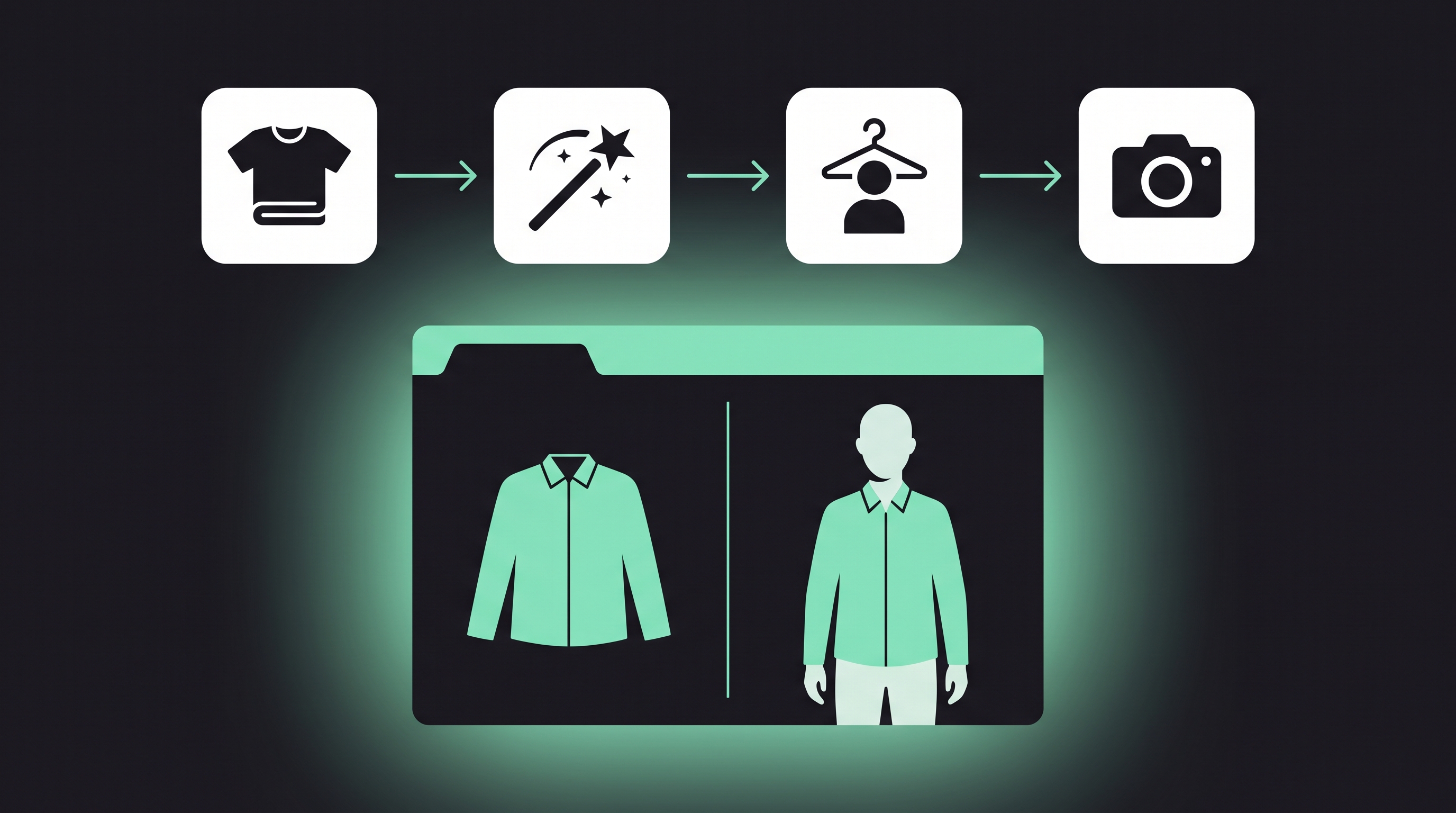
Creating enough product photos is a common challenge for fashion brands and online clothing stores. A single item may need images for product pages, seasonal campaigns, social media, and paid ads, which often means arranging multiple photoshoots with different models and locations. As product catalogs grow, both the cost and production time increase.
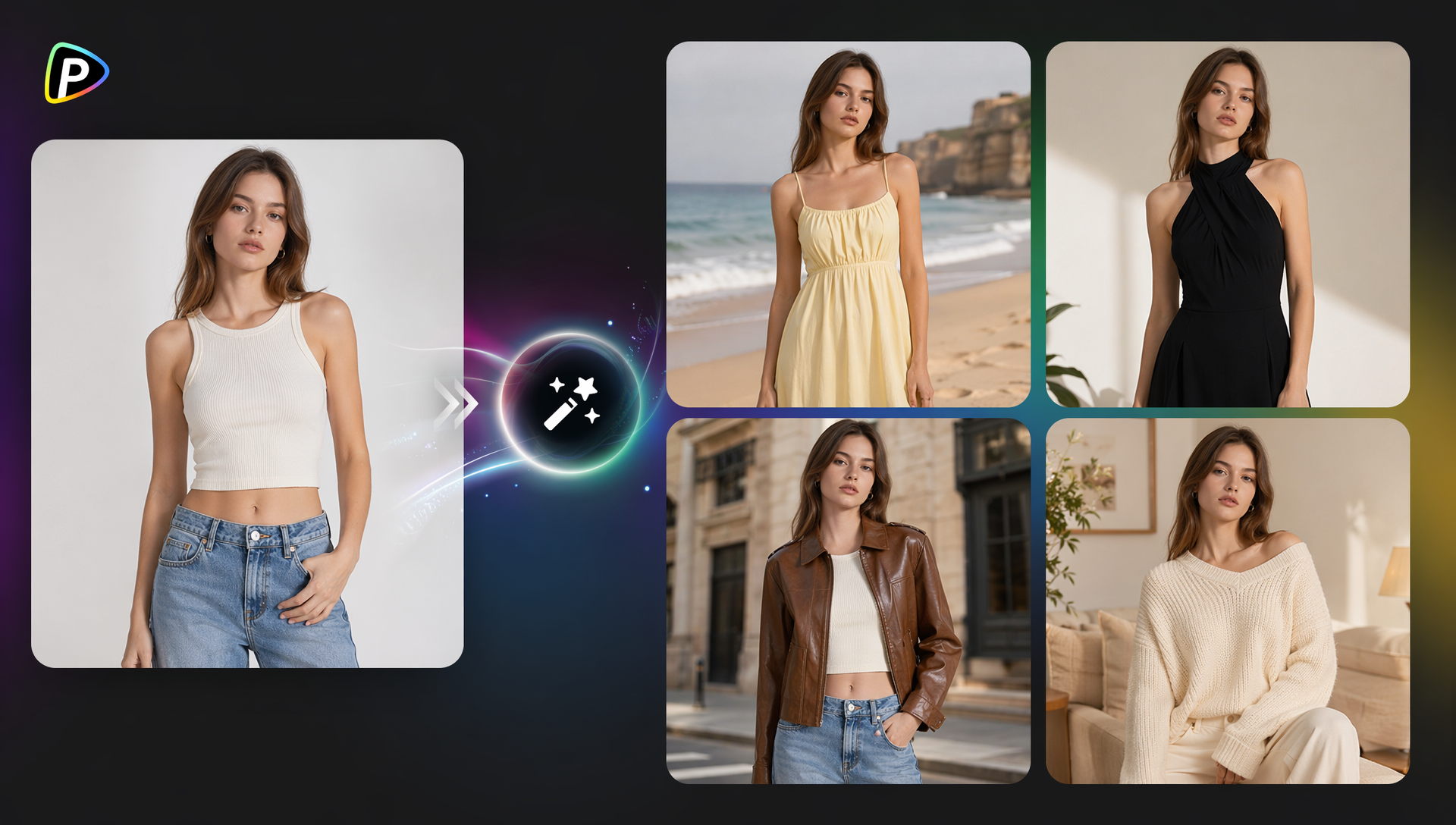
Pollo AI clothes changer offers a faster way to create these visuals. By uploading a clothing image and selecting a virtual model, it can produce realistic on-model photos that are suitable for e-commerce listings, promotional campaigns, and social media posts. For brands that frequently launch new products or test different marketing ideas, this makes it much easier to create multiple image variations without planning another photoshoot.
What Is Pollo AI Clothes Changer?
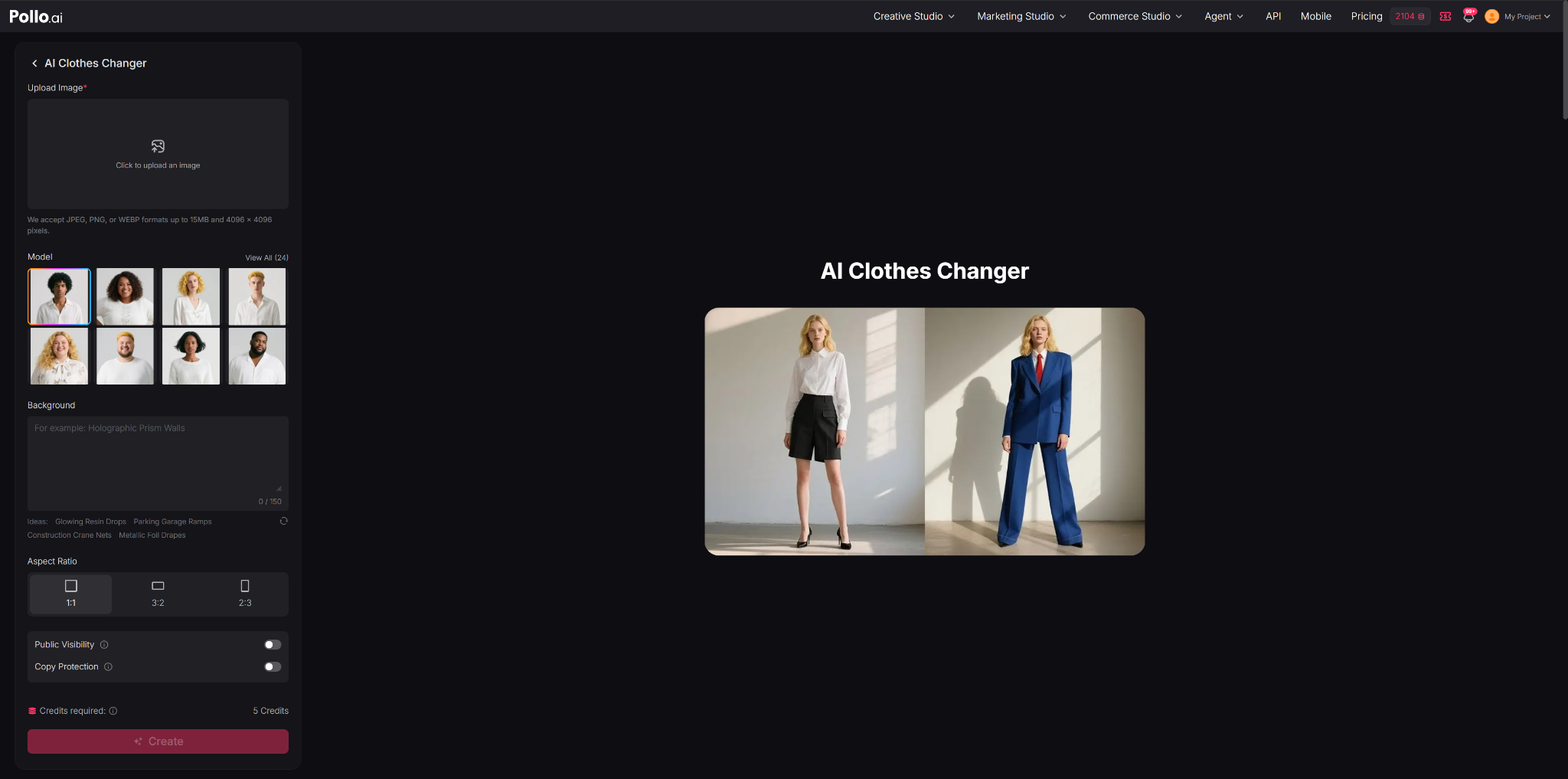
Pollo AI Clothes Changer is an AI tool that helps users create model photos by placing a piece of clothing onto a virtual person. Instead of booking a photoshoot or editing images manually, users only need to upload a clear photo of the garment, choose one of the built-in models, and let the AI generate a new image showing how the clothing looks when worn. In most cases, details such as the garment's color, pattern, fabric texture, and overall shape are preserved well enough for product pages and marketing materials.
This makes the tool useful for clothing brands, online stores, designers, marketers, and content creators who need product images quickly or want to create multiple versions for different campaigns. While it is not intended to replace every type of product photography, it can reduce the amount of time and cost involved in producing on-model images.
How to Use Pollo AI Clothes Changer for Fashion Product Photos?
Step 1: Start with a Clear Clothing Image
The quality of the uploaded clothing image has a direct impact on the final result. A clean front view with good lighting usually works best because Pollo AI can recognize the shape, colors, and small design details more accurately. If the photo is blurry or the clothing is folded, details such as collars, cuffs, or printed graphics may not be reproduced correctly.
For product photos, it's also worth removing busy backgrounds before uploading. The cleaner the source image is, the more natural the generated result tends to look.
Step 2: Choose the Model That Matches Your Target Customers
After uploading the clothing, the next step is selecting one of the built-in virtual models. Although the current model library isn't very large, choosing a model that fits the product style still makes a noticeable difference. Casual clothing usually looks more natural on younger models, while suits, dresses, or luxury pieces often benefit from a more polished appearance.
During testing, a male model was selected and paired with a clear image of a maid outfit simply to see how well the tool handled an unusual combination. The prompt used was:
Male servant wearing the outfit from the image, inside a European castle. Gentle expression, reserved posture, photorealistic.
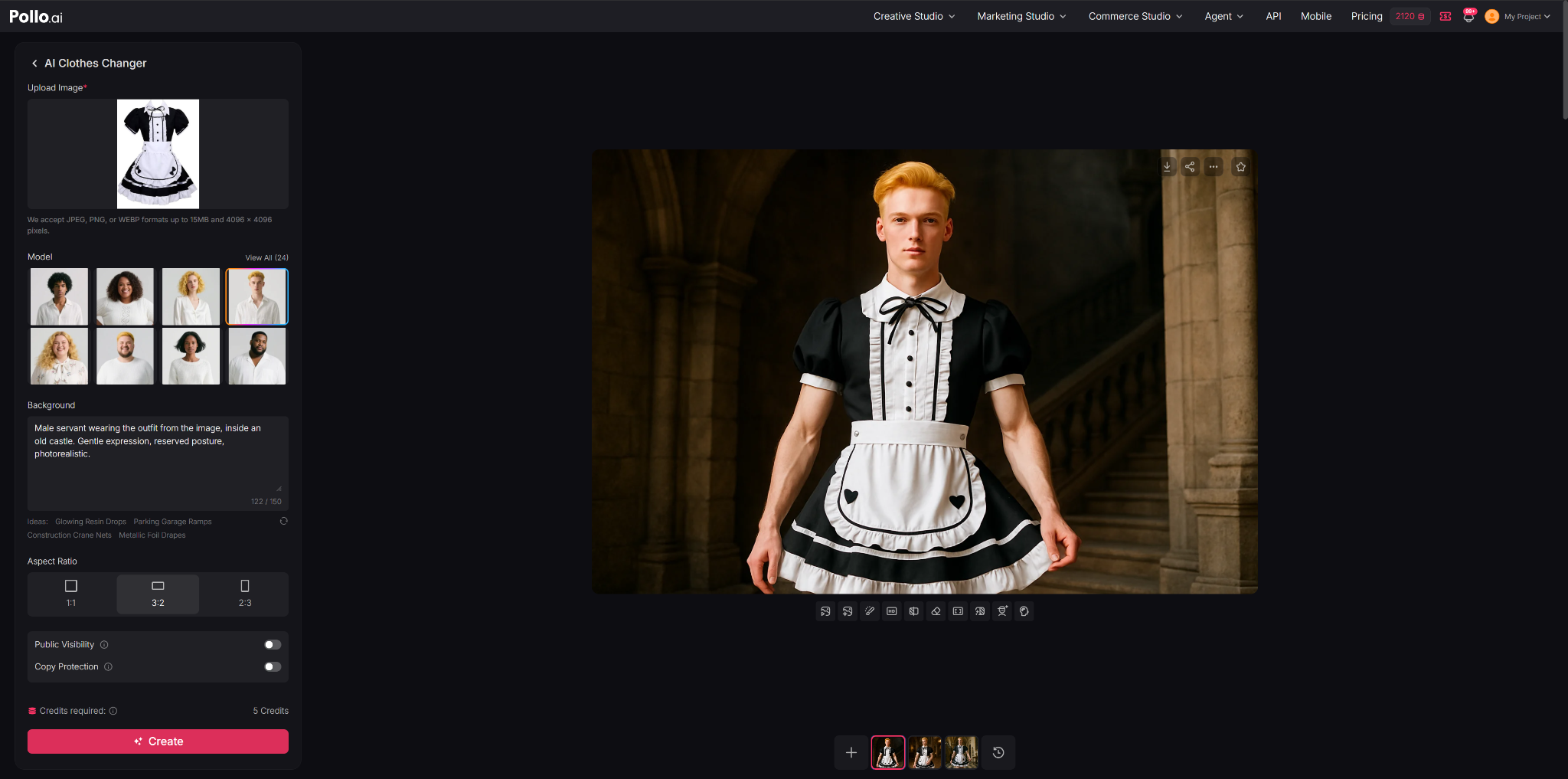
The result was better than expected. Even though the generated image still had a recognizable AI look, the clothing blended naturally with the model, and small details like lace, folds, and decorative trims were preserved surprisingly well. For e-commerce product images, the level of detail was more than sufficient.
One limitation became obvious during this test, however. The available model choices are fairly limited, so it isn't always possible to find a virtual person that matches a specific brand style. If a business needs a custom avatar or wants to keep the same model across different products, Commerce Studio by Pollo AI includes a Virtual Try-On Photo feature that allows users to upload their own avatar instead.
Step 3: Keep Prompts Short but Specific
Unlike many AI image generators, Pollo AI Clothes Changer doesn't allow very long prompts. That means every word needs to describe something important instead of adding unnecessary detail.
A simple prompt usually works better than trying to describe an entire story. Location, lighting, camera angle, pose, and overall mood are often enough to guide the result.
For example:
Catalog photo
Model wearing the uploaded jacket, white studio background, front view, soft lighting, photorealistic.
Luxury campaign
Female model wearing the uploaded dress, modern hotel lobby, natural light, fashion editorial style.
Streetwear promotion
Young model wearing the uploaded hoodie, city street, relaxed walking pose, realistic photography.
Step 4: Pick the Right Image Size Before Generating
Pollo AI Clothes Changer currently supports 1:1, 3:2, and 2:3 aspect ratios. Choosing the right one at the beginning usually produces better framing than cropping the image afterward.
A square image works well for Amazon and Instagram posts, while a 3:2 layout is suitable for Shopify product pages. If the image is mainly intended for Pinterest or other vertical layouts, 2:3 generally makes better use of the available space.
Step 5: Check the Small Details Before Downloading
Before exporting the image, it's worth zooming in and checking areas that shoppers are likely to notice, including collars, sleeves, buttons, logos, and printed patterns. While the overall clothing fit is often convincing, small details can occasionally look slightly uneven.
For marketing images on social media, these minor imperfections usually aren't very noticeable. Product pages, however, are where customers tend to zoom in, so spending a minute reviewing the generated image is worthwhile before publishing.
What Are the Advantages and Limitations of Pollo AI Clothes Changer?
Testing with different clothing images shows that Pollo AI Clothes Changer produces consistent results for standard fashion marketing images, although a few limitations become noticeable in more customized workflows.
Advantages
In one test, a male virtual model was paired with a clear image of a maid outfit using the prompt "Male servant wearing the outfit from the image, inside a European castle. Gentle expression, reserved posture, photorealistic." The generated image still had a recognizable AI style, but the clothing blended naturally with the model, and details such as lace, folds, and decorative trims were reproduced accurately. The output quality is suitable for product pages, promotional graphics, and most social media content.
The tool also supports 1:1, 3:2, and 2:3 aspect ratios, covering the formats commonly used by e-commerce stores and social platforms. This makes it easier to prepare images for different publishing channels without additional cropping.
Limitations
The prompt field is relatively short, so complex instructions or highly specific creative ideas cannot be described in much detail. Short, focused prompts generally produce more reliable results than longer descriptions.
Another limitation is the built-in model library. While the available models are sufficient for many everyday use cases, businesses looking for a particular appearance or a consistent model across multiple campaigns may find the selection limited. In those cases, Commerce Studio by Pollo AI offers a Virtual Try-On Photo feature that supports custom avatars.
Like most AI-generated fashion images, the results work best as marketing assets rather than complete replacements for traditional product photography. Close-up photos showing fabric texture, stitching, and other construction details are still valuable for helping customers evaluate a product before purchasing.
Is Pollo AI Clothes Changer Worth Using?
Pollo AI Clothes Changer performs well in its intended role: creating on-model fashion images from a clothing photo with very little manual work. In testing, the clothing was transferred naturally onto the selected model, and most details were preserved well enough for product listings, advertisements, and social media content.
At the same time, the tool has some clear limitations. Prompt length is restricted, making it difficult to control every aspect of the final image, and the built-in model library offers relatively few choices. Businesses that require specific models or consistent brand avatars will likely need to use the Virtual Try-On Photo feature in Commerce Studio instead.
Overall, Pollo AI Clothes Changer is a practical option for clothing brands, online sellers, and marketers who need to produce marketing images quickly. It is less suitable for fashion campaigns that require complete creative control or highly customized model selection, and it should be viewed as a complement to—not a replacement for—traditional product photography.