
.png)
Image SEO: The Missing Piece of Your Traffic Puzzle
Most people think search engine optimization is just about keywords and backlinks. Huge mistake. They forget that Google sees pictures too. Well, sort of. It reads the code behind them. If you aren’t speaking that language, you’re leaving organic traffic on the table. We think it’s time to fix that. This guide breaks down exactly what you need to do to get those visuals working for you.
To be clear, none of this replaces off-page work. Building domain authority through relevant, contextual placements is still what makes a page competitive in the first place. Image SEO is what makes sure that page earns every click once it is actually ranking.
What Is Image SEO?
Image SEO is the process of updating your site's graphics to make them easier for search engine crawlers to understand and index. It involves:
- Shrinking file sizes to speed up loading;
- Fixing image file names;
- Adding specific text data so Google knows what the picture actually shows.
It’s technical, visual, and totally necessary for ranking.
Why Image SEO is Important?
First off, load speed. Unoptimized heavy files kill page speed, and Google hates slow sites. If your page takes five seconds to load because of a massive hero image, users bounce.
Second, Google Image Search as a huge chunk of searches happens there. If you sell sneakers or travel gear, you want your product to pop up when someone clicks the "Images" tab. That traffic converts. Plus, accessible images with proper alt text make your site usable for screen readers, which is a big ranking factor these days. Image optimization is about accessibility and speed equally.
How to Audit Images on Your Site?
You need hard data. This is where a solid site audit comes in. We recommend running a full website check using the SEO Checker by SE Ranking. It’s pretty straightforward: you plug in your domain, and their tool crawls every page. It doesn't just look at text—it specifically digs into your media assets.
The report will flag images that are too heavy, missing alt tags, or returning 404 errors. It groups these issues by severity. You might find you have 50 images missing alt text and ten massive PNGs that are crushing your mobile speed. Seeing it all in a dashboard helps you prioritize. You fix the critical errors first and handle the minor missing tags later.
Image Optimization: How to Optimize Images for SEO
Now for the real work. Optimizing isn't just one button press. Here is how to tackle it.
- Create Useful Images
Don't just use filler. Stock photos of "business people shaking hands" are boring, and Google knows it. Create original visuals that actually explain your content. We mean:
- Graphs;
- Charts;
- Real photos of your product in action work best.
Canva and Snappa let you build custom infographics quickly. If your image adds value (like a screenshot explaining a software setting), users stay longer. Dwell time goes up. Rankings go up. It’s that simple.
- Choose the Right Image Formats
File format matters more than you think. Old school formats like BMP or TIFF are useless for the web as they are just too big.
For photographs with lots of color, JPEG is still the standard. It compresses well without losing too much quality. For images with transparent backgrounds or logos, use PNG. But the real game-changer recently is WebP.
WebP is a modern format, developed by Google. It provides superior compression for images on the web. It can make files 26% smaller than PNGs. Most browsers support it now.
CloudConvert and Squoosh can batch convert your existing library into WebP or AVIF.
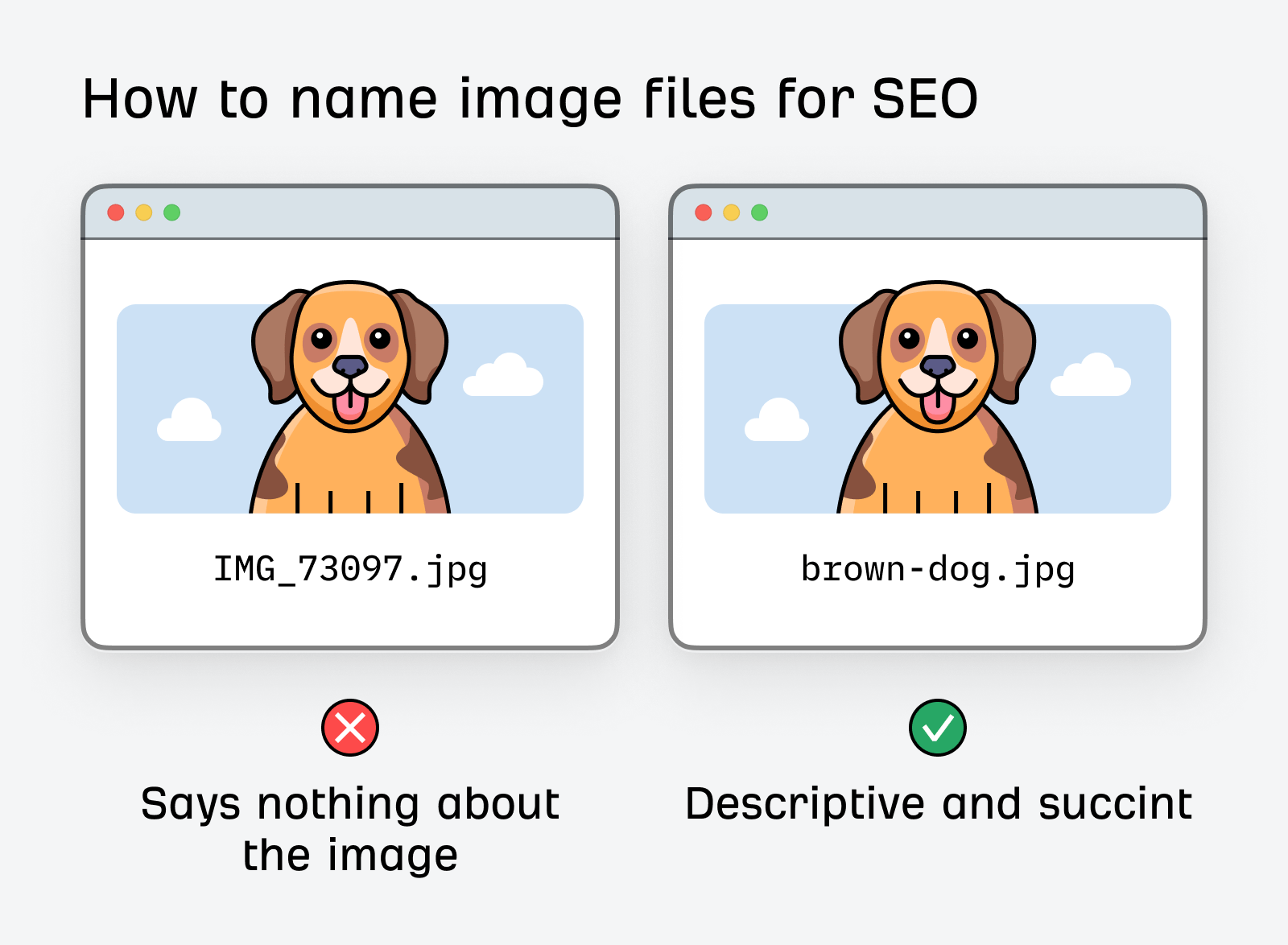
- Use Descriptive Filenames
What to do:
- Be specific but keep it readable;
- Use hyphens to separate words, not underscores;
- Keep it to 3-5 main words that describe the visual.
If you are writing a guide on coffee, pour-over-coffee-brewing-steps.jpg is a winner. Bulk Rename Utility can help you rename mass files.
- Write Relevant Alt Text
Describe what is happening in the picture. If it's a picture of a red car, don't just write "car." Write "Red Ford Mustang driving on a coastal highway." Do not stuff keywords here. If you just type "buy car cheap car best car," Google might flag it as spam.
Be helpful, not spammy. A plugin like Alt Text AI can even automate this if you have thousands of products.
Under the WCAG, one has to be able to provide a text alternative for non-text content. This is just to make accessibility easier by allowing screen readers such as Jaws or NVDA to understand your page. If a user with a visual impairment lands on your site and hears "Image 001" or "keyword keyword keyword", they have no idea what is going on. It’s frustrating.
Good alt text makes the internet usable for everyone. If the image is purely for decoration (say, just a squiggly line divider), WCAG says you should actually leave the alt text empty. Screen readers must skip it entirely.
- Optimize Image Titles and Captions
The title attribute provides additional information when a user hovers over an element. It’s less critical for ranking than alt text. Still, it improves user experience.
Captions are different. They are visible text right under the image.
People scan articles; they don't always read them. They look at headings and image captions. A good caption can hook a reader back into the body text. Use them to add context.
If you use WordPress, the standard media library fields let you edit these easily. Don't leave them blank if the image needs context.
- Resize and Compress Images
This is the big one. Size kills speed.
First, resize the dimensions to fit your site's layout. Then, compress the file info. You want to strip out hidden metadata and reduce quality slightly to save space without visible blurring.
Tools? TinyPNG is a classic as it’s fast and effective. For Mac users, ImageOptim is fantastic. If you want an online bulk solution, Kraken.io handles heavy loads well.
- Use Responsive Image Scaling
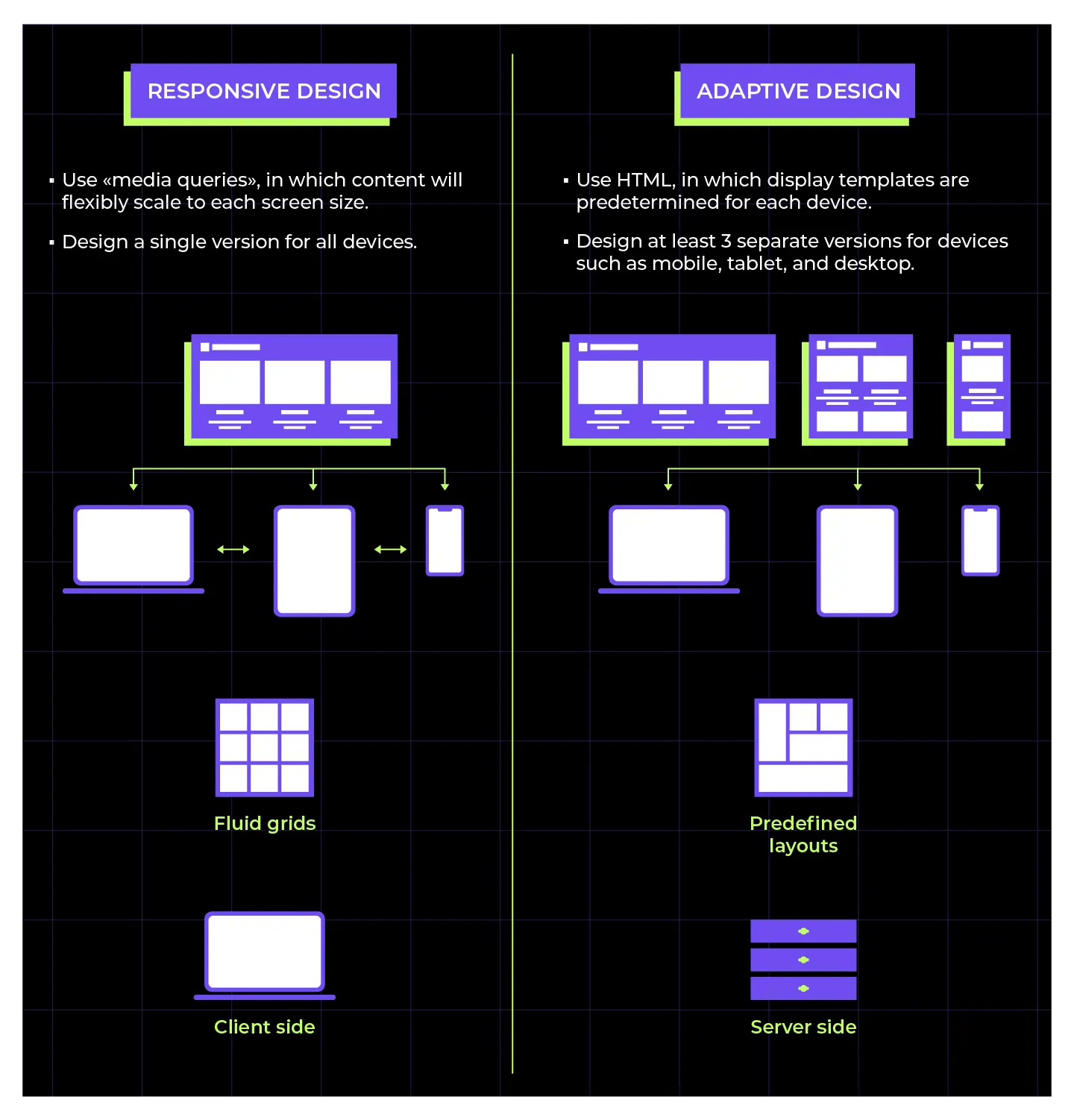
A massive desktop header looks ridiculous on a phone and wastes data. You need responsive images.
This is usually handled by the srcset attribute in HTML. Most modern CMS platforms like WordPress do this automatically now. If you are coding custom, you need to ensure you aren't serving desktop assets to mobile users. It destroys your Core Web Vitals scores.
- Implement Lazy Loading
Lazy loading stops the browser from loading every single image on the page as soon as the user arrives. Instead, it only loads images as the user scrolls down to them.
If you use WordPress, WP Rocket, and a3 Lazy Load plugins handle this brilliantly. It’s an instant performance boost.
- Create and Submit an Image Sitemap
If you use JavaScript galleries or pop-ups, Google might miss your quality images. An image sitemap ensures the crawler finds everything.
It’s basically a map specifically for your visuals. You can add image info to your existing XML sitemap or create a separate one. It helps Google discover images that aren't directly in the page source code.
Tools like Yoast SEO generate these automatically for you. You just need to enable the setting and submit the URL to Google Search Console.
- Use Open Graph Meta Tags
Ever share a link on Facebook or LinkedIn and look at the preview image? That’s Open Graph (OG) tags at work.
While not a direct Google ranking factor, social shares drive traffic. If your link looks broken or has no image on social media, nobody clicks. You need to define the og:image tag in your page head.
- Use a Content Delivery Network

A Content Delivery Network (CDN) caches your images on servers all over the globe. When a user visits, the CDN serves the image from the server closest to them. It’s lightning fast.
Cloudflare offers a free tier that is excellent. BunnyCDN is another cheap, high-performance option. Honestly, if you have global traffic, a CDN is non-negotiable.
- Enable Browser Caching
When a user visits your site, their browser downloads your images. Browser caching saves your images on the device. Next time they click a link, the logo loads instantly from their hard drive, not your server. This speeds up navigation drastically.
- Use Schema Markup for Images
Schema is code that helps Google understand the context of your content. For images, specifically the ImageObject schema, you can tell Google details like the creator, the license, and the credit.
This is super helpful for recipes or products. A JSON-LD script makes your search listing look richer and more trustworthy.
The Rank Math plugin is excellent for handling schema automatically for WordPress sites. It often adds default ImageObject data based on your media library settings. For specific types like Products or Recipes, it has a simple interface where you fill in the blanks, and it generates the code for you.
If you aren't using WordPress or need a custom snippet, Merkle and TechnicalSEO.com are efficient. You select "ImageObject" from a dropdown, input your URL and details, and it spits out the exact code block you need to paste into your site's header.
Summary
Faster pages, accessible content, and clear visuals make users happy. Start with an audit using SE Ranking to find the worst offenders. Then, get in the habit of compressing files with TinyPNG and writing good alt text before you hit publish. Once you get the workflow down, you’ll see the difference in your analytics. The traffic is there—you just have to paint the right picture to get it.
